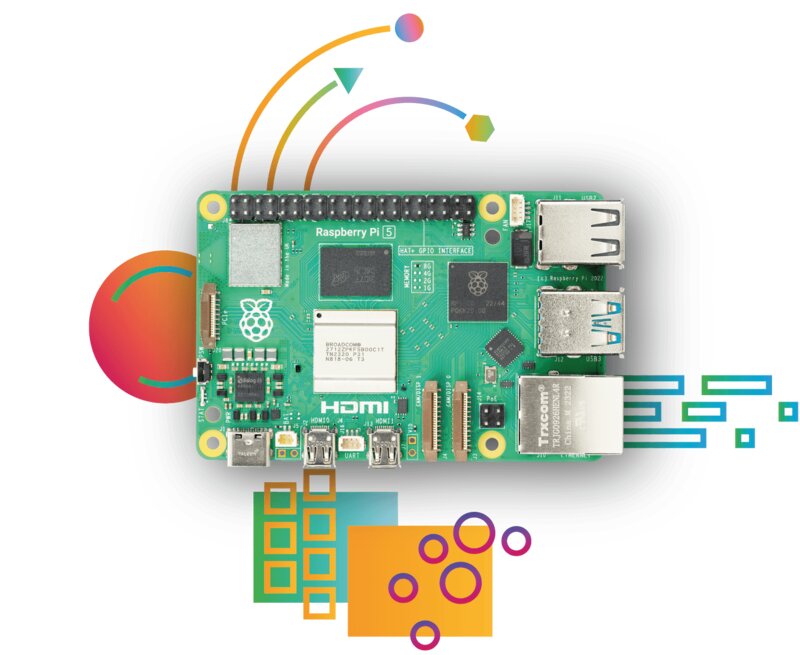
This website, running on a Raspberry Pi 5.
Tags:
Description:
How I run my website on a Raspberry Pi 5, with Cloudflare Tunnel, WebAuthn, and a photography CMS.
From the cloud to a computer on my desk
Before this website existed in its current form, I had a version of it hosted on AWS — a fairly standard setup with an EC2 instance, an Elastic Load Balancer, and Route 53 for DNS. It worked, but it cost money every month for what was essentially a personal portfolio with almost no traffic. At some point I asked myself: why am I paying a cloud provider to run a Django app that serves a few dozen visitors a week?
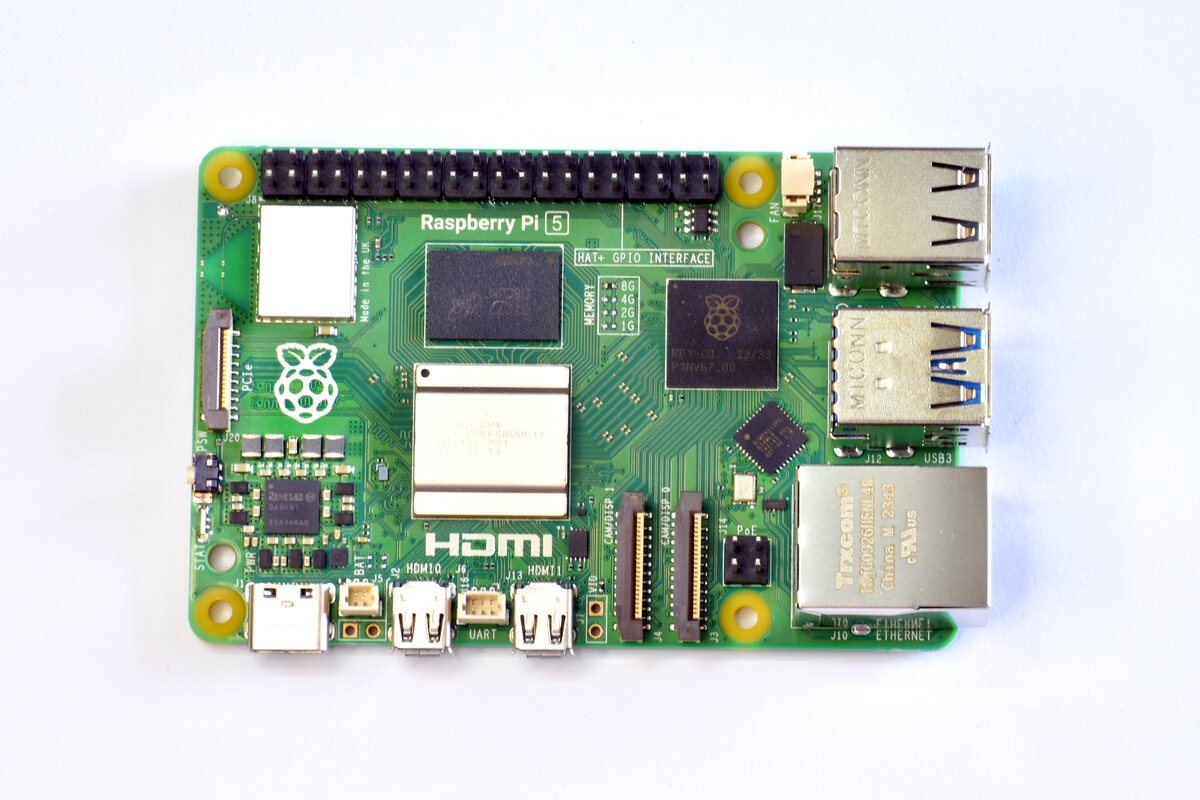
Around the same time, I bought a Raspberry Pi 5. The Pi 5 is a genuinely capable little machine — a 2.4 GHz quad-core ARM Cortex-A76, 8 GB of RAM, and a proper PCIe connector. It also has a proper PCIe interface that accepts an NVMe SSD HAT, which is where the OS, media files, and database live. A 512 GB SD card sits alongside it, used exclusively for backups. I decided to migrate the site to it and see how far I could push a ¥10,000 computer.
The stack
The site is a standard Django 4.2 application, served by Gunicorn with two workers, running on Debian 12 (Bookworm). The database is SQLite — deliberately kept simple since the site has no concurrent writes that would strain it. Media files (photos, project images) live in a dedicated directory and are served directly by Gunicorn.
What makes the self-hosted setup interesting is the networking layer. Home internet connections typically sit behind a dynamic IP and a NAT router, which makes hosting a public server non-trivial. I solved this with Cloudflare Tunnel (cloudflared), which creates an outbound-only encrypted tunnel from the Pi to Cloudflare's edge. The Pi never needs to open any inbound ports. All traffic arrives at Cloudflare, gets proxied through the tunnel to the Pi, and responses go back the same way. The result is a publicly accessible HTTPS site with no port forwarding, no dynamic DNS, and DDoS protection included.
The Pi is dual-stack. The ISP assigns it a native IPv6 /64 prefix, so it has real, globally routable IPv6 addresses alongside its private IPv4 address. On this system, localhost resolves to [::1] (the IPv6 loopback) rather than 127.0.0.1 — which is what cloudflared uses when connecting to Gunicorn internally. Gunicorn is therefore configured to bind on both 127.0.0.1:8000 and [::1]:8000. Cloudflare's edge is dual-stack: visitors with IPv6 connectivity reach the site over IPv6 natively, while IPv4 visitors are handled just as well. No extra configuration required on the Pi side — modern home internet in Japan makes dual-stack the default, not a special feature.
The entire server sits next to my router. It draws about 5–10W under typical load. The AWS bill no longer exists.
Features I built along the way


Photography CMS
The site has a dedicated photography section with a masonry grid gallery. Behind the scenes, every uploaded photo goes through a compression pipeline built with Pillow: the original file is preserved, a display-size JPEG is generated (capped at a configurable quality), and a thumbnail is produced for the grid. EXIF data is extracted automatically to populate the taken date. The gallery supports ordering, categories, descriptions, and an AI-generated description flag. Photos can also be shared through private galleries with token-based access, useful for sharing event photos with specific people without making them public.
Passwordless authentication with WebAuthn
The dashboard is protected by WebAuthn passkey authentication — no passwords. On login, the browser performs a cryptographic challenge-response using a hardware authenticator or the device's biometrics. There is no password to leak, phish, or forget. The admin panel is disabled by default; the only way in is through the passkey flow.
Live site activity dashboard
I built a dashboard that parses the Gunicorn access log in real time and classifies each request: human visitor, known bot, scanner, automated tool, or unknown. Since all traffic arrives through Cloudflare Tunnel, the real client IP lives in the CF-Connecting-IP header rather than REMOTE_ADDR — the Gunicorn log format was customised to capture that header as the first field.
Each IP is geolocated via a batch call to ip-api.com and the country is displayed alongside the request. The dashboard also shows system telemetry (CPU usage, RAM, temperature, disk) polled every few seconds from the Pi itself. It has been a useful and satisfying thing to watch.
Development and production environments
The Pi runs two independent deployments side by side: production on port 8000, and a development instance on port 8001. Both are managed as systemd services. Changes are tested on dev first, then propagated manually. The two environments share no database or media files, which keeps production stable while I experiment.
What I learned
SQLite is enough for most personal projects
A common instinct when building anything on Django is to reach for PostgreSQL. For a personal site with one writer and a few dozen readers, SQLite handles everything without complaint. The database file is 424 KB. Backups are a single cp command.
Cloudflare Tunnel removes most of the hard parts of self-hosting
Before Cloudflare Tunnel, self-hosting at home meant managing dynamic DNS, opening firewall ports, handling TLS certificates, and worrying about exposing your home IP. The tunnel eliminates all of that. Setup takes about ten minutes. I would recommend it to anyone who wants to self-host without a static IP or a VPS.
A Raspberry Pi 5 is genuinely sufficient
Log parsing across a week of access logs takes about 240 milliseconds on the Pi. Page responses are fast. The site has never gone down due to resource exhaustion. For traffic in the range of hundreds to low thousands of daily requests, the Pi 5 is more than enough. The bottleneck, if there ever is one, will not be the Pi itself — the NVMe SSD handles speed and longevity for active data, while a 512 GB SD card keeps rolling backups.
IPv6 is already the default — use it
The Pi received a native IPv6 /64 prefix from the ISP automatically, with no configuration whatsoever. Once Gunicorn was told to listen on the IPv6 loopback alongside IPv4, the entire stack became dual-stack. Cloudflare routes IPv6 visitors natively. The dashboard log shows real IPv6 source addresses from clients all over the world. The lesson: IPv6 is not a future concern or an enterprise feature. On a modern home connection it is already there, and setting it up correctly takes one extra --bind flag.
Building your own tools teaches you things frameworks hide
Writing a log parser that distinguishes real humans from bots, building a photo compression pipeline, wiring up WebAuthn from scratch — none of this is particularly difficult, but doing it yourself forces you to understand things that managed cloud services abstract away. I now have a much clearer picture of how HTTP headers, process supervision, tunnel proxying, and browser authentication actually work than I did when everything was a checkbox in the AWS console.
Current state
The site hosts 15 project write-ups, 23 active photographs, a private gallery system, and the dashboard. The Pi has been running continuously since I set it up, sitting next to my router. Total media on disk is about 192 MB. The whole thing costs nothing to run beyond electricity — which for a device drawing 5–10W amounts to roughly ¥200 a month at Japanese electricity rates.
It is one of the most satisfying things I have built, because I use it every day and I understand every part of it.